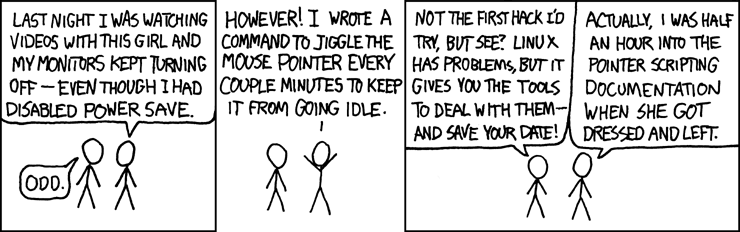
Re: Gledanje filmova i screensaver bug?
Postano: 04 svi 2010, 17:56
meni se to događalo na starijim distrama (i ubijalo mi živce), u Koali je sigurno već bilo riješeno.
Ima nekoliko rješenja, idem probat zaguglat neka od njih. ja sam to isprva rješavao ovim prvim, al kako je kasnije xorg.conf postao nebitan, radio sam to preko gconfa, i kasnije kad su popravili više nisam rješavao
1.
One way to do it is to edit the xorg.conf file. That's located in your /etc/X11/ folder.
To edit it just do the following:
Open the terminal
type:
sudo gedit /etc/X11/xorg.conf
Scroll to the bottom of the file and cut and paste the following:
Section "ServerFlags"
Option "blanktime" "0"
Option "standbytime" "0"
Option "suspendtime" "0"
Option "offtime" "0"
EndSection
Save it and restart your system.
You should be all set after that.
2.
http://justbloodywork.blogspot.com/2009 ... buntu.html
3.
http://www.omgubuntu.co.uk/2009/08/caff ... spend.html
bio je još jedan vezan uz gconf, negdje u power settingsima, al ne mogu sad nać gdje.
Ima nekoliko rješenja, idem probat zaguglat neka od njih. ja sam to isprva rješavao ovim prvim, al kako je kasnije xorg.conf postao nebitan, radio sam to preko gconfa, i kasnije kad su popravili više nisam rješavao
1.
One way to do it is to edit the xorg.conf file. That's located in your /etc/X11/ folder.
To edit it just do the following:
Open the terminal
type:
sudo gedit /etc/X11/xorg.conf
Scroll to the bottom of the file and cut and paste the following:
Section "ServerFlags"
Option "blanktime" "0"
Option "standbytime" "0"
Option "suspendtime" "0"
Option "offtime" "0"
EndSection
Save it and restart your system.
You should be all set after that.
2.
http://justbloodywork.blogspot.com/2009 ... buntu.html
3.
http://www.omgubuntu.co.uk/2009/08/caff ... spend.html
bio je još jedan vezan uz gconf, negdje u power settingsima, al ne mogu sad nać gdje.