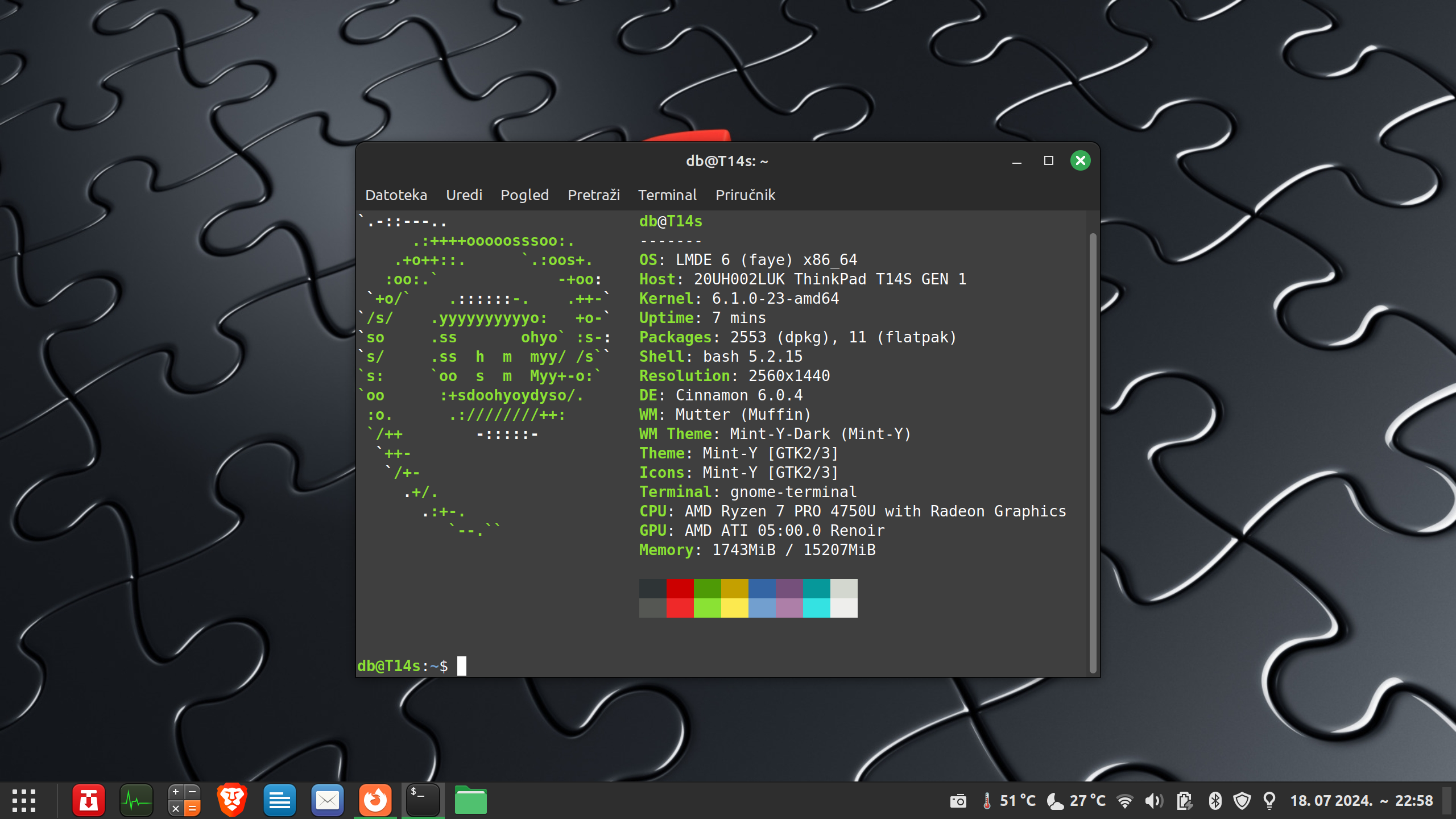
Kako izgleda vaš desktop
Moderator/ica: Moderatori/ce
-
oldman

- Postovi: 633
- Pridružen/a: 25 stu 2011, 17:12
- Spol: M
- OS: LMDE 6 -Mint 22.1
- Lokacija: vanjski otok
Re: Kako izgleda vaš desktop
Ha, @ Bertone, i ti si mi se pridružio.
-
Lutherus
Re: Kako izgleda vaš desktop
I desktop

još ga moram ušminkati. Trenutno dok je u rasulu na njemu je twm.

još ga moram ušminkati. Trenutno dok je u rasulu na njemu je twm.

Re: Kako izgleda vaš desktop

"Bolje je šutjeti i bit smatran budalom, nego progovoriti i otkloniti svaku sumnju!"


-
drone

- Moderator
- Postovi: 3293
- Pridružen/a: 01 pro 2010, 23:50
- OS: Arch/KDE, Debian/Armbian
- Lokacija: Nova Gradiška
Re: Kako izgleda vaš desktop
Driver za novog miša? 
1986-1990: Commodore64 / 1990-1994: Amiga 500 / 1995-1996: Amiga 1200 / 1997-2001: N/A@home /
2002-2004: Windows98, XP /
2004-2005: Knoppix, Mandrake / 2005: Mandriva, Ubuntu / 2005-2009: LFS / 2009-2010: Mint /
2010-... Arch
2002-2004: Windows98, XP /
2004-2005: Knoppix, Mandrake / 2005: Mandriva, Ubuntu / 2005-2009: LFS / 2009-2010: Mint /
2010-... Arch
-
Slamd64
Re: Kako izgleda vaš desktop
Lutherus je napisao/la:I u paru
laptop
desktop

Moze li config od .hs-a i Xdefaults ako nije frka. Pokusavam nesto sloziti na laptopu pa mi treba koja ideja.
-
Lutherus
Re: Kako izgleda vaš desktop
xmonad.hs ( oba dva su ista samo je razlika u položaju xmobara i u boji tagova )
.Xdefaults ( također je na oba isti )
Kod: Označi sve
import XMonad
import Data.Monoid
import System.IO
import System.Exit
import XMonad.Hooks.DynamicLog
import XMonad.Util.Dmenu
-- import XMonad.Hooks.UrgencyHook
-- import XMonad.Util.Run (spawnPipe)
import qualified XMonad.StackSet as W
import qualified Data.Map        as M

-- Layouts

import XMonad.Layout.Grid
import XMonad.Layout.Spiral
import XMonad.Layout.Spacing
import XMonad.Layout.NoBorders(smartBorders)
import XMonad.Layout.PerWorkspace
import XMonad.Layout.IM
import XMonad.Layout.Circle
import XMonad.Layout.Spacing


--
-- -- end of IMPORTS }}}

myTerminal      = "xterm"

myFocusFollowsMouse :: Bool
myFocusFollowsMouse = True

myBorderWidth   = 0

myModMask       = mod4Mask

myWorkspaces    = ["system","term","web","media"] ++ map show [5..8 :: Int] ++ ["9:bit"]

-- myNormalBorderColor  = "#dddddd"
-- myFocusedBorderColor = "#dddddd"

myKeys conf@(XConfig {XMonad.modMask = modm}) = M.fromList $

    -- launch a terminal
    [ ((modm .|. shiftMask, xK_Return), spawn $ XMonad.terminal conf)

    -- launch dmenu
    , ((modm,               xK_v     ), spawn "exe=`dmenu_run` && eval \"exec $exe\"")

    -- PrintScreen
    , ((modm,               xK_p     ), spawn "scrot -e")

    -- Files manager
    , ((modm,               xK_r     ), spawn "xterm -e ranger")

    -- MPD
    , ((modm,               xK_u     ), spawn "xterm -e ncmpcpp")

    -- Browser
    , ((modm,               xK_f     ), spawn "firefox-bin")

    -- IRC
    , ((modm,               xK_x     ), spawn "xterm -e irssi")

    -- Editor
    , ((modm,                xK_e    ), spawn "xterm -e vim")

    -- close focused window
    , ((modm .|. shiftMask, xK_c     ), kill)

     -- Rotate through the available layout algorithms
    , ((modm,               xK_space ), sendMessage NextLayout)

    --  Reset the layouts on the current workspace to default
    , ((modm .|. shiftMask, xK_space ), setLayout $ XMonad.layoutHook conf)

    -- Resize viewed windows to the correct size
    , ((modm,               xK_n     ), refresh)

    -- Move focus to the next window
    , ((modm,               xK_Tab   ), windows W.focusDown)

    -- Move focus to the next window
    , ((modm,               xK_j     ), windows W.focusDown)

    -- Move focus to the previous window
    , ((modm,               xK_k     ), windows W.focusUp  )

    -- Move focus to the master window
    , ((modm,               xK_m     ), windows W.focusMaster)

    -- Swap the focused window and the master window
    , ((modm,               xK_Return), windows W.swapMaster)

    -- Swap the focused window with the next window
    , ((modm .|. shiftMask, xK_j     ), windows W.swapDown  )

    -- Swap the focused window with the previous window
    , ((modm .|. shiftMask, xK_k     ), windows W.swapUp    )

    -- Shrink the master area
    , ((modm,               xK_h     ), sendMessage Shrink)

    -- Expand the master area
    , ((modm,               xK_l     ), sendMessage Expand)

    -- Push window back into tiling
    , ((modm,               xK_t     ), withFocused $ windows . W.sink)

    -- Increment the number of windows in the master area
    , ((modm              , xK_comma ), sendMessage (IncMasterN 1))

    -- Deincrement the number of windows in the master area
    , ((modm              , xK_period), sendMessage (IncMasterN (-1)))

    -- Toggle the status bar gap
    -- , ((modm              , xK_b     ), sendMessage ToggleStruts)

    -- Quit xmonad
    , ((modm .|. shiftMask, xK_x     ), io (exitWith ExitSuccess))

    -- Halt right there, criminal scum!
    , ((modm .|. shiftMask, xK_q     ), spawn "sudo halt")

    -- Restart xmonad
    , ((modm              , xK_q     ), spawn "xmonad --recompile; xmonad --restart")

    ]
    ++

    -- Switch workspaces
    [((m .|. modm, k), windows $ f i)
        | (i, k) <- zip (XMonad.workspaces conf) [xK_1 .. xK_9]
        , (f, m) <- [(W.greedyView, 0), (W.shift, shiftMask)]]
    ++

    -- Switch screens
    [((m .|. modm, key), screenWorkspace sc >>= flip whenJust (windows . f))
        | (key, sc) <- zip [xK_w, xK_e, xK_r] [0..]
        , (f, m) <- [(W.view, 0), (W.shift, shiftMask)]]


myMouseBindings (XConfig {XMonad.modMask = modm}) = M.fromList $

    -- mod-button1, Set the window to floating mode and move by dragging
    [ ((modm, button1), (\w -> focus w >> mouseMoveWindow w
                                       >> windows W.shiftMaster))

    -- mod-button2, Raise the window to the top of the stack
    , ((modm, button2), (\w -> focus w >> windows W.shiftMaster))

    -- mod-button3, Set the window to floating mode and resize by dragging
    , ((modm, button3), (\w -> focus w >> mouseResizeWindow w
                                       >> windows W.shiftMaster))

    -- you may also bind events to the mouse scroll wheel (button4 and button5)
    ]

myLayout = tiled ||| Mirror tiled ||| Grid ||| Circle ||| spiral (6/7) ||| Full
   where
    -- default tiling algorithm partitions the screen into two panes
    tiled   = spacing 5 $  Tall nmaster delta ratio

    -- The default number of windows in the master pane
    nmaster = 1

    -- Default proportion of screen occupied by master pane
    ratio   = 1/2

    -- Percent of screen to increment by when resizing panes
    delta   = 3/100

-- $ xprop | grep WM_CLASS
myManageHook :: ManageHook
myManageHook = composeAll . concat $
    [ [ className =? "Firefox"         --> doF (W.shift "web") ]
    , [ className =? "Xchat"           --> doF (W.shift "irc") ]
    , [ className =? "Mplayer"         --> doF (W.shift "media")]
    , [(className =? "Firefox" <&&> resource =? "Dialog") --> doFloat]
    , [(className =? "Firefox" <&&> resource =? "Plugin-container") --> doFloat]
    , [ className =? "Gimp" --> doFloat]
    ]

myEventHook = mempty

-- myLogHook = return ()

-- Command to launch the bar.
myBar = "xmobar"

-- Custom PP, configure it as you like. It determines what is being written to the bar.
myPP = xmobarPP { ppCurrent = xmobarColor "#429942" "" . wrap "[" "]" }

-- Key binding to toggle the gap for the bar.
toggleStrutsKey XConfig {XMonad.modMask = modMask} = (modMask, xK_b)

myStartupHook = return ()

main = xmonad =<< statusBar myBar myPP toggleStrutsKey defaults
-- main = xmonad $ withUrgencyHook dzenUrgencyHook { args = ["-bg", "darkgreen", "-xs", "1"] }

defaults = defaultConfig {
      -- simple stuff
        terminal           = myTerminal,
        focusFollowsMouse  = myFocusFollowsMouse,
        borderWidth        = myBorderWidth,
        modMask            = myModMask,
        workspaces         = myWorkspaces,
--        normalBorderColor  = myNormalBorderColor,
--        focusedBorderColor = myFocusedBorderColor,

      -- key bindings
        keys               = myKeys,
        mouseBindings      = myMouseBindings,

      -- hooks, layouts
        layoutHook         = myLayout,
        manageHook         = myManageHook,
        handleEventHook    = myEventHook,
--        logHook            = myLogHook,
        startupHook        = myStartupHook
    }
Kod: Označi sve
XTerm*faceName: Terminus
XTerm*faceSize:     8

*background: #222222
*foreground: #e6e3c6

!black
*color0:  #333333
*color8:  #3D3D3D
!!red
*color1:  #8C4665
*color9:  #BF4D80
!!green
*color2:  #287373
*color10: #53A6A6
!!yellow
*color3:  #7E5D7A
*color11: #A270A3
!!blue
*color4:  #395573
*color12: #477AB3
!!magenta
*color5:  #5E468C
*color13: #7E62B3
!!cyan
*color6:  #31658C
*color14: #6096BF
!!white
*color7:  #899CA1
*color15: #C0C0C0

Re: Kako izgleda vaš desktop
Jesoldman je napisao/la:Ha, @ Bertone, i ti si mi se pridružio.
, kako nikako dočekati da ElementaryOs Luna izađe iz bete (koji me svako malo nečim khhhmmmm oduševi) bacio ponovno malo pogled kaj se zbiva oko Peara i vidio da su povukli 6.1 radi bugova i ostavili samo 6.0 .. da, troši manje od Ubuntua, a radi puno brže (i za sad stabilno) + kaj cica manje bateriju